
Audio · Speaker sync & EQ / Ensemble
Bring your speakers together.
Bring wired and Bluetooth speakers together on your Mac—from the same brand or different ones. Align their timing, give them complementary roles and shape the sound with group EQ.
Version 1.1.0-beta.2
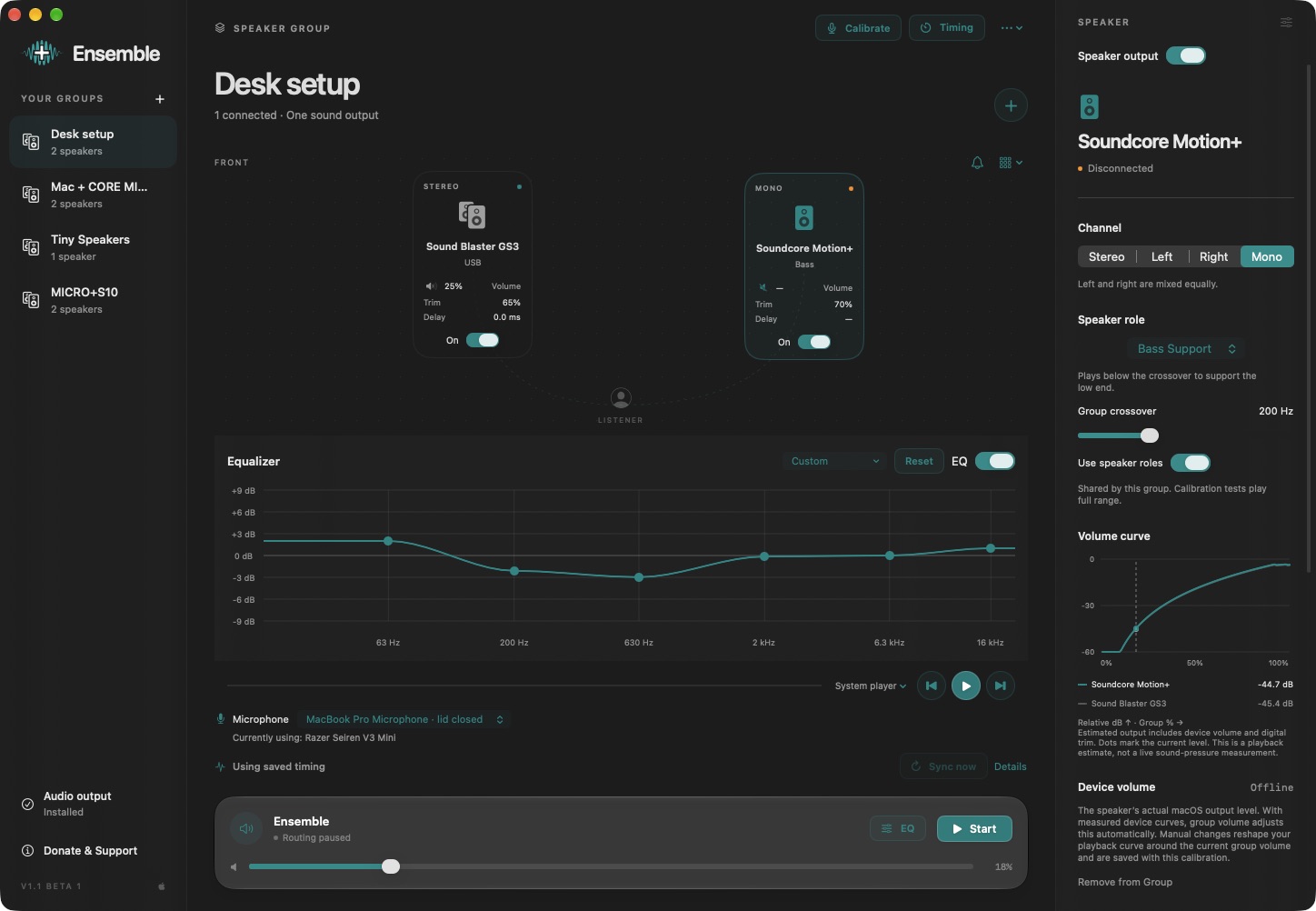
Mix your speakers
Bring wired USB, Bluetooth, built-in and display audio outputs into one saved group. Use speakers from the same brand or mix different brands, as long as macOS exposes them as audio outputs.
Bring the timing together
Use microphone calibration to measure relative timing and help speakers play in sync. Fine-tune individual delays by ear, with timing views to inspect the alignment.
Let speakers complement each other
Choose Stereo, Left, Right or Mono for each speaker. Assign Full Range, Bass Support or Mids & Highs roles, with an adjustable group crossover to divide the work.
Shape the whole group
Use a custom group EQ curve or a preset to adjust the sound across all speakers together. Tune bass, mids and highs without setting up separate equalizers for each output.
Balance your listening position
Calibrate with a microphone to compare speaker levels and timing where you listen. Adjust each speaker’s volume and balance trim, or mute it while keeping its settings.
One output for your Mac
Select Ensemble as the system audio output and send music and other app audio to your group. Save different setups and keep group controls in the menu bar, with support for your Mac’s volume keys.
A little more detail.
Compatibility
macOS 26 or later on Apple silicon. System audio routing requires the Ensemble virtual audio device and audio-input permission; installing the driver requires an administrator password. A microphone is needed for acoustic calibration.
How do I install and update it?
Extract the Mac ZIP and move the app to Applications before opening it. For future releases, open Donate & Support and choose Check for Updates. Download the update and restart to install it in place. Existing settings stay on your Mac. Older builds without the updater need this first upgrade by manual download.
How does it play system audio?
Choose Ensemble as your Mac’s output device and select a speaker group in the app. The virtual device routes that audio to the group’s physical outputs.
Does it automatically synchronize every speaker?
Ensemble helps align mixed speakers with microphone calibration, timing corrections and manual trims. Bluetooth latency and device behavior can vary, so perfect synchronization is not guaranteed for every combination.
Does calibration save my microphone audio?
Normal calibration recordings are processed locally in memory. They are not uploaded or saved as recordings.
A question or a kind gesture?
Your recordings, videos, settings and routing stay on your device. Update checks contact our release server to look for a newer version. Send a bug report, ask for help, or support development. Donations are entirely optional.