
Video · Playback & export / Video Tempo
A little faster. A little slower.
Change a video’s speed, preview it and save a new copy with natural-sounding pitch. On Mac, the “Change Video Speed” Finder Quick Action puts it a right-click away.
Version 0.2.0
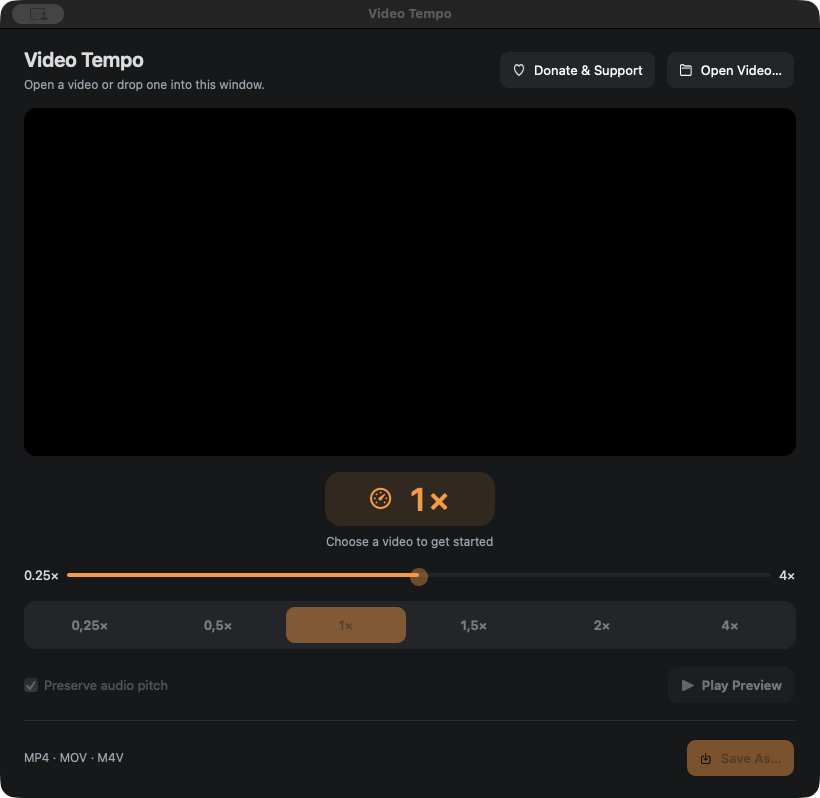
Set the pace
On Mac, enable “Change Video Speed” from Donate & Support, then right-click a video in Finder and choose Quick Actions → Change Video Speed. Set a speed from 0.25× to 4× with presets or a precise slider; opening or dropping a video works too.
Hear it naturally
Preserve audio pitch when slowing down or speeding up a clip. Preview the same speed and pitch settings used for export.
Save a new copy
Export locally as MP4 or MOV and reveal the result in Finder or File Explorer. Your original video stays untouched.
A little more detail.
Compatibility
macOS 15 or later on Apple silicon or Intel, or Windows 10/11 x64. Opens MP4, MOV and M4V files with one video track and up to one audio track.
The Windows app includes open-source FFmpeg media tools. Download their matching source code, licenses and build instructions (826 MB ZIP).
How do I install and update it?
On Mac, extract the ZIP and move the app to Applications. On Windows, run the installer. Open Donate & Support to check for updates, download a new release and restart to install it in place. Your videos remain untouched. Older versions without an updater need the first upgrade by manual download.
Do I need to upload a video?
No. Video Tempo opens and processes files on your computer.
Can I start from Finder?
Yes. Open Donate & Support in the Mac app and choose Set Up Finder Action. Then right-click a video and choose Quick Actions → Change Video Speed. Enable it in Finder’s Quick Actions → Customize… if it is hidden.
Which files can I use?
MP4, MOV and M4V with a single video track and zero or one audio track. Clips with subtitles or multiple audio tracks are not supported. Export creates an encoded MP4 or MOV copy.
A question or a kind gesture?
Your recordings, videos, settings and routing stay on your device. Update checks contact our release server to look for a newer version. Send a bug report, ask for help, or support development. Donations are entirely optional.