
Toy · Voice playground / Vox Play
Sound like yourself. Or don’t.
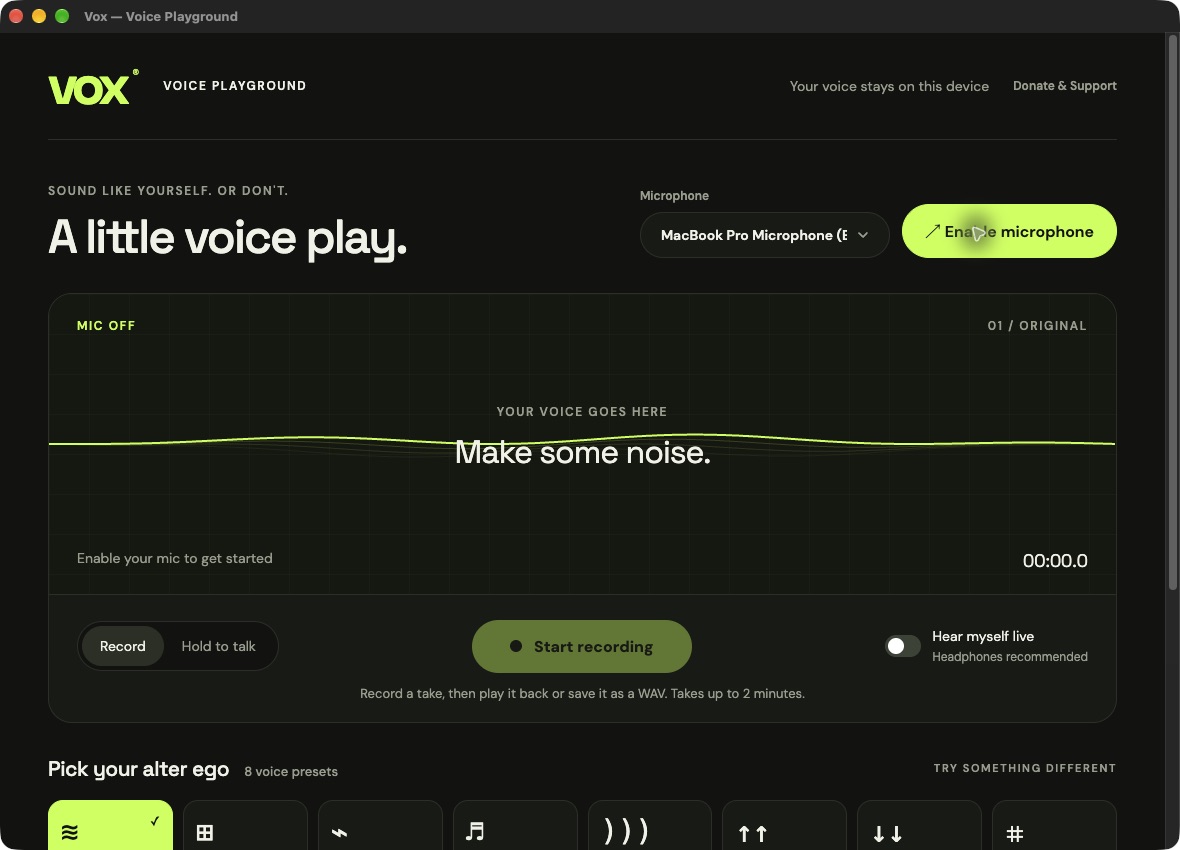
A voice toy for experimenting, making silly sounds and having fun. Try eight voices, tune their sound and revisit your automatically saved recordings. Export your favorites as WAVs. Your audio stays on your device.
Version 0.2.0
Play with your voice
Become an android, a giant or a tiny helium-powered version of yourself. Explore Original, Android, Shapeshifter, Choir, Echo, Helium, Giant and Glitch, with optional live monitoring.
Record your way
Try a line, a laugh or a ridiculous character. Record for up to two minutes, or hold to record and hear it on release. Clean recordings are saved automatically. Replay any take with a different voice, or export the original or altered version as a WAV.
Make a voice your own
Open the voice editor and turn its knobs to adjust pitch, character, harmony, echoes or robotic texture. Save your own sound or restore the factory voice. Every take using that voice follows your saved settings.
Keep it local
Choose your microphone and switch inputs between takes. Audio processing and recording happen entirely on your device.
A little more detail.
Compatibility
macOS 13 or later on Apple silicon, or Windows 10/11 x64, and a microphone. Headphones recommended for live monitoring.
How do I install and update it?
On Mac, extract the ZIP and move the app to Applications. On Windows, run the installer. For future releases, open Donate & Support and choose Check for updates. Download the update, then restart and install it in place. Your saved recordings and settings stay on your device.
Does it upload my recordings?
No. Vox Play uses local audio effects, without cloud processing or audio uploads.
How do I keep a take?
Recordings are saved automatically inside Vox Play and return when you reopen it. Export a WAV to keep a copy elsewhere. Delete individual takes or clear the library whenever you like.
What is Hold mode?
Hold the record control, Space or Enter to record. Release it to stop and play back the take.
A question or a kind gesture?
Your recordings, videos, settings and routing stay on your device. Update checks contact our release server to look for a newer version. Send a bug report, ask for help, or support development. Donations are entirely optional.